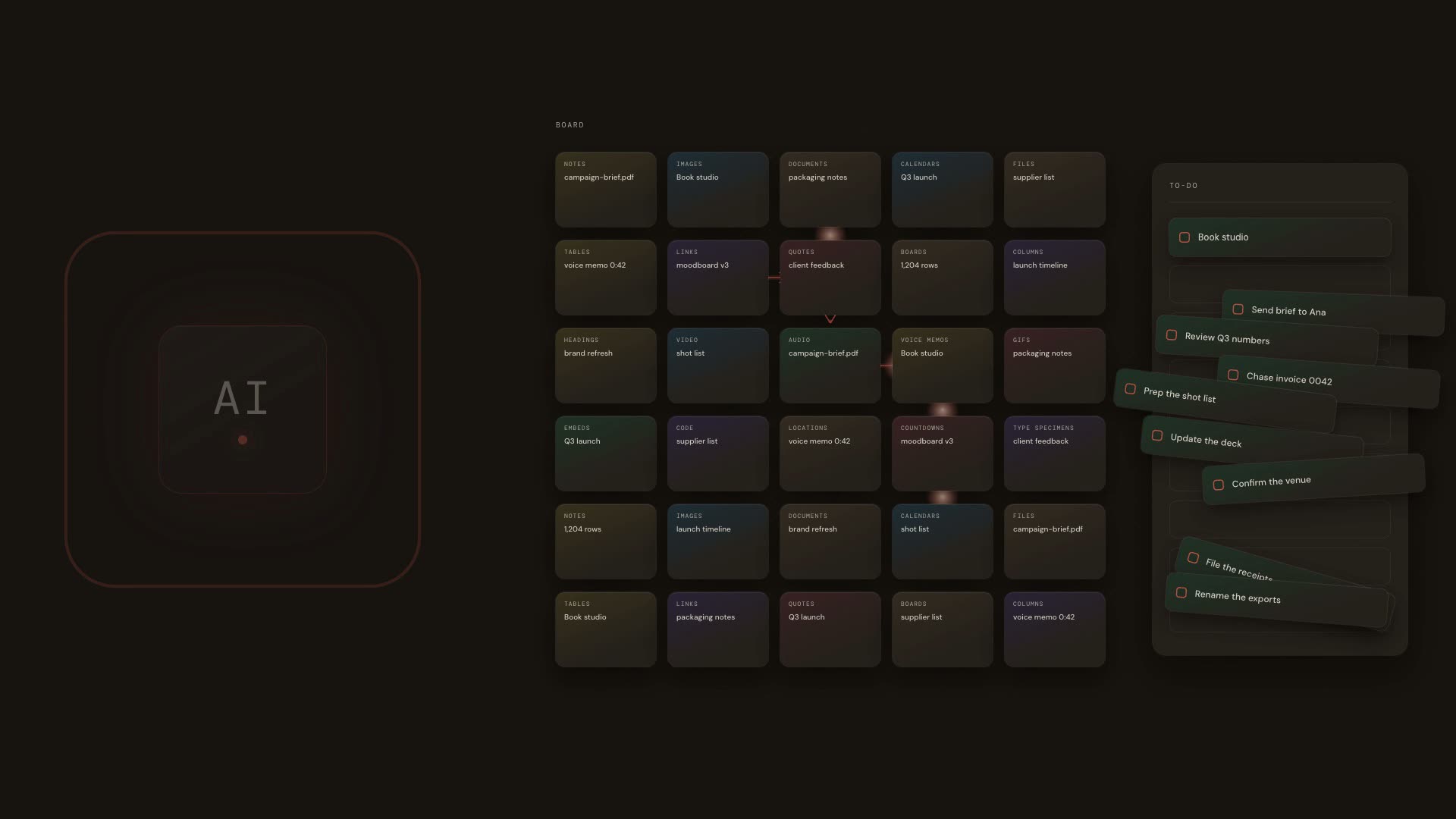
A visual workspace for humans and AI

A visual workspace for you and your AI.

Bring together ideas, files, webpages, emails, research, tasks and AI-generated work. Organize everything visually — and give your AI the context to work alongside you.

Reference
campaign-brief.pdf · 2.1 MB
To-do
Shoot cover art
Write launch note
Book studio
Ask Memospace
"What did I save about packaging in March?"
Humans + AI

One workspace. Two kinds of collaborators.

You bring the judgment. AI brings the leverage. Memospace gives both of you the same place to work.

You

Add ideas, notes, files and tasks. Arrange the board your way, and decide what happens next.

Your AI

Reads the same board, organizes what is on it, and turns ideas into tasks, documents and plans — on the canvas, not in a chat window.

Capture

Everything comes to one place.

EmailWebFilesHumanAIConnected appsMemospace

Email, files, links, notes and AI work arrive as cards today. Direct integrations with connected apps are coming.

01

Capture

Bring things in from anywhere.

02

See

Everything lands on a visual board.

03

Understand

AI reads the whole space, not one chat.

04

Act

AI organizes, creates tasks and documents on the board.

05

Continue

You and AI keep working side by side.

06

Remember

It all stays in Memospace.

Don't just chat with AI

Give it a workspace.

Drop something in and ask. What comes back isn't a wall of text — it's a board you can move around, with the tasks and notes already placed.

You drop in
campaign-brief.pdf
2.1 MB
“Take this and organize it for me.”
You get a board
3 tasks, dated
A document with the brief
The PDF, kept alongside

Then you move things. It's your board — the assistant started it, it doesn't own it.

More than a board

Everything stays connected. Your boards, tasks, documents and files aren't separate apps — they're different ways of working with the same space.

Boards

An endless visual canvas
  • Notes, images, links, to-dos, tables and calendars, dropped anywhere
  • Boards inside boards, with breadcrumbs back out
  • Drag, resize from any edge, connect cards with arrows

Tasks

Plan it as a board, a list or a calendar
  • Kanban, list or month calendar — the same tasks, three views
  • Quick add that understands "tomorrow 9am #design !1"
  • Priorities, tags, subtasks and smart Today / Next 7 views

Calendar

See when things happen
  • Your tasks on a month view — drag one to another day to reschedule it
  • Drop a calendar onto a board and it shows that project's dates, not everything you own
  • Subscribe from Google, Outlook or Apple, and read your own calendar back in
  • A Pomodoro timer for the hours you actually sit down to work

Documents

Write where your ideas already live
  • Long-form writing without leaving the workspace
  • Grow a note into a draft, connected to the material around it
  • Export as Word, PDF, PNG, Markdown or plain text

Files

The artifacts a project collects
  • PDFs, images and uploads beside the work they belong to
  • Previews on the canvas, so you see what you have without digging
  • Private by default — nothing is public unless you share a link
The AI panel

One panel. Everything in the space.

The assistant isn't a separate tool bolted on the side. It opens on every screen, already knowing what you are looking at — and it can change the thing in front of you, not just talk about it.

And whatever it changes, it tells you what it changed — every edit is attributed and logged, whether you made it or the assistant did.
Assistant
A noteTidy the wording, pull the tasks out of it, or grow it into a document.
A documentDraft it, restructure it, summarise it, or continue where the writing stopped.
A taskClarify what it means, break it into subtasks, give it a date.
A fileRead a PDF or image and turn what is inside it into a laid-out board.
A boardGroup what is on it into columns, file loose cards, and say what the board is about.
The whole spaceAnswer from everything you have saved, and take you to the exact card it came from.
The assistant

It doesn't just remember. It works with what's there.

Ask everything you've saved

One panel, every screen. It answers from your boards, cites the exact cards and takes you to them.

Daily recap

Each morning: what you captured yesterday, and what deserves another look.

Related, while you type

Start a note and older things you saved about the same idea surface beside it.

Generate onto the canvas

Ask for a note or an image and it arrives as a card you can move and resize.

Turn a PDF into a board

Drop a document or image into the assistant and it comes back as a laid-out board you can rearrange.

Find anything, instantly

Search every board, card and document from one box, wherever you are.

Built for humans and for AI agents · An open AI ecosystem

Your AI can change. Your space doesn't.

You won't use one AI forever. Memospace is designed to be the persistent layer between you and the AI tools you choose — so your work doesn't have to start over when the model changes. Boards are readable as structured data, and every change is attributed and logged, whoever made it.

Agents can see a board

Every card, its text, tags, links and exact place on the canvas — as data, not pixels.

Agents can act

Create cards in bulk, move and connect them, add tasks, tidy writing, search and export.

You always know who did what

Every change is stamped with you or a named agent, so their work is never mistaken for yours.

A full activity trail

Created, moved, completed — every change written to an event history, with who and when.

See it work

A minute in Memospace.

The walkthrough video is on its way. In the meantime, the board above is the real product.

Pricing

Simple pricing. Your whole workspace.

Start free. Upgrade when you want Memospace — and AI — to do more. Every plan is the whole workspace; the difference is how much AI you get. Additional AI credits are available on any plan, and unused credits roll over.

Free

Explore Memospace and start building your space.

$0forever
  • Up to 10 boards
  • Up to 50 tasks
  • 1 GB storage
  • Documents and files
  • Search
  • Limited AI usage
Most popular

Pro

For people who want Memospace — and AI — to become part of how they work.

$19per month
Or $180/year.
  • Unlimited boards and tasks
  • 20 GB storage
  • Full AI features
  • AI memory and recall
  • Daily recaps and memory journal
  • Generous monthly AI credits
  • Extra AI credits available anytime

Pro Plus

For people who work heavily with AI and want Memospace to do more.

$39per month
Or $360/year.
  • Everything in Pro
  • 100 GB storage
  • A much larger monthly AI allowance
  • Greater access to premium AI models
  • More capacity for intensive AI work
  • Agent and API capabilities as they ship
  • Priority access to new AI features

Additional AI credits

Available on any plan, without changing your subscription.

Plans are chosen after you sign in, from Settings.

Give your AI somewhere to work.

One visual space for what you make, what you need to do, and what you don't want AI to forget.